• MT4 Collections
    • Top Indicators Hot
      • Top Rated
      • Top Downloads
      • Most Popular
      • New
      • Recommended
    • Trading Style
      • Beginner For Newbies
      • Scalping
      • Short-Term
      • Day Trading
      • Intraday
      • Swing
    • Indicator Type
      • Accurate
      • Leading
      • Reversal
      • Breakout
      • Sideways
      • Entry & Exit
      • Overbought & Oversold
      • Non-Repaint
    • Categories
      • Trend
      • Signal
      • Support & Resistance
      • Price Action
      • Stochastic
      • Envelope
      • Volume
      • Helpers
    • Timeframes
      • M1-M5
      • M15-M30
      • H1-H4
      • D1-W1
      • Multi Timeframe
    • Platform
      • MT4 Popular
      • MT5
  • Indicators
  • Blog
  • CONTACT US
  • ABOUT US
Menu
Search
Select category
  • Select category
  • Envelope Indicators
  • Helpers
  • Price Action
  • Signal
  • Stochastic
  • Support & Resistance
  • Trend
  • Volume
0 Wishlist
Home Collection Helpers Pip Counter
Trend DashBoard
Back to products
RSI Heatmap
MT4
Watch video
Click to enlarge

Pip Counter

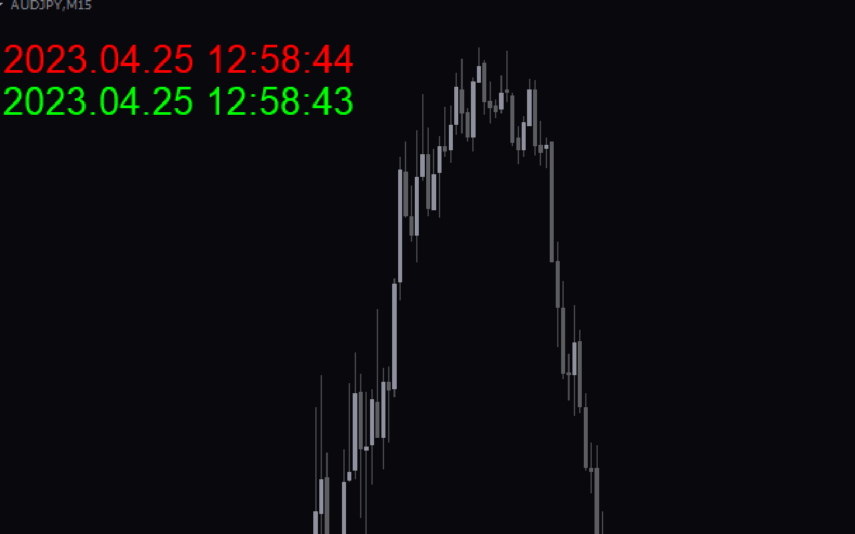
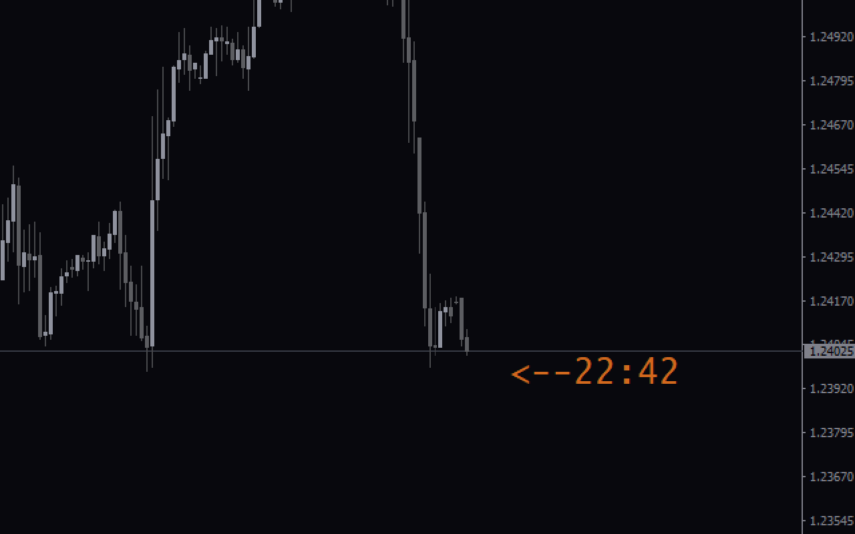
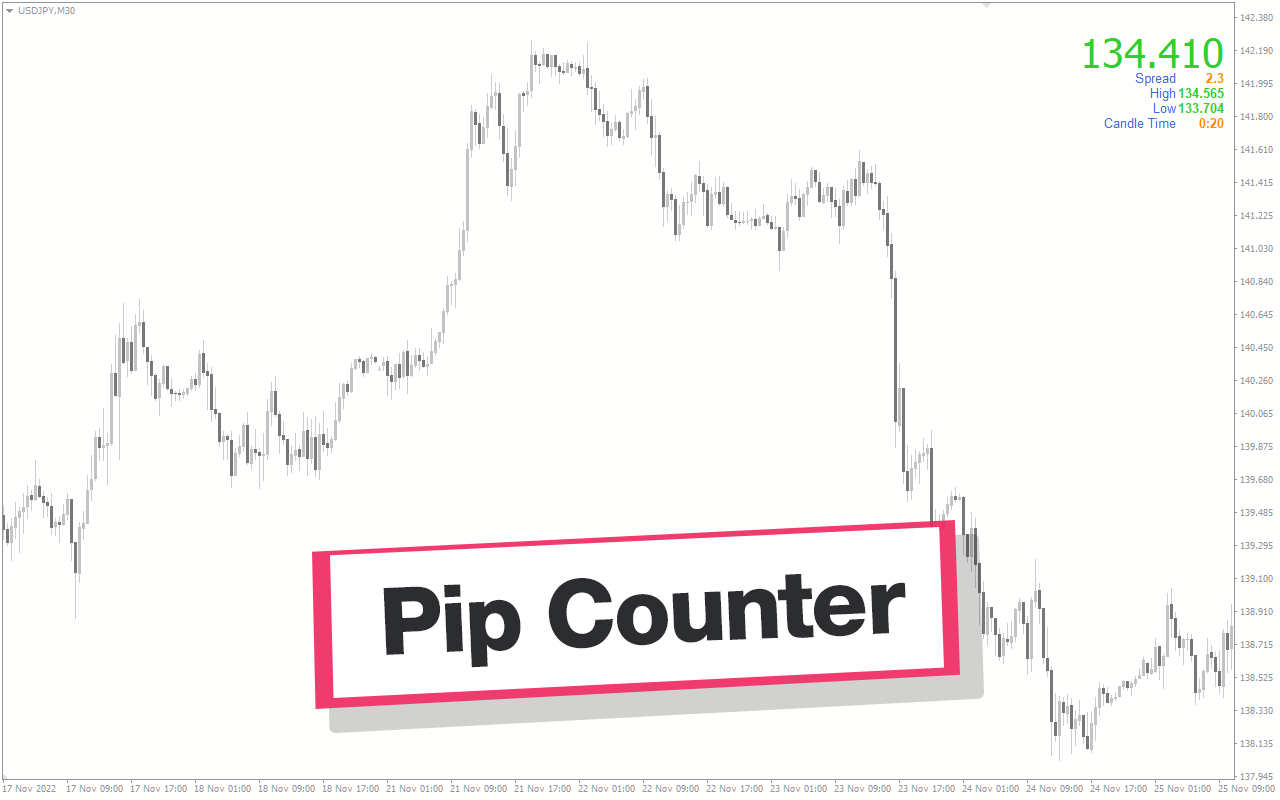
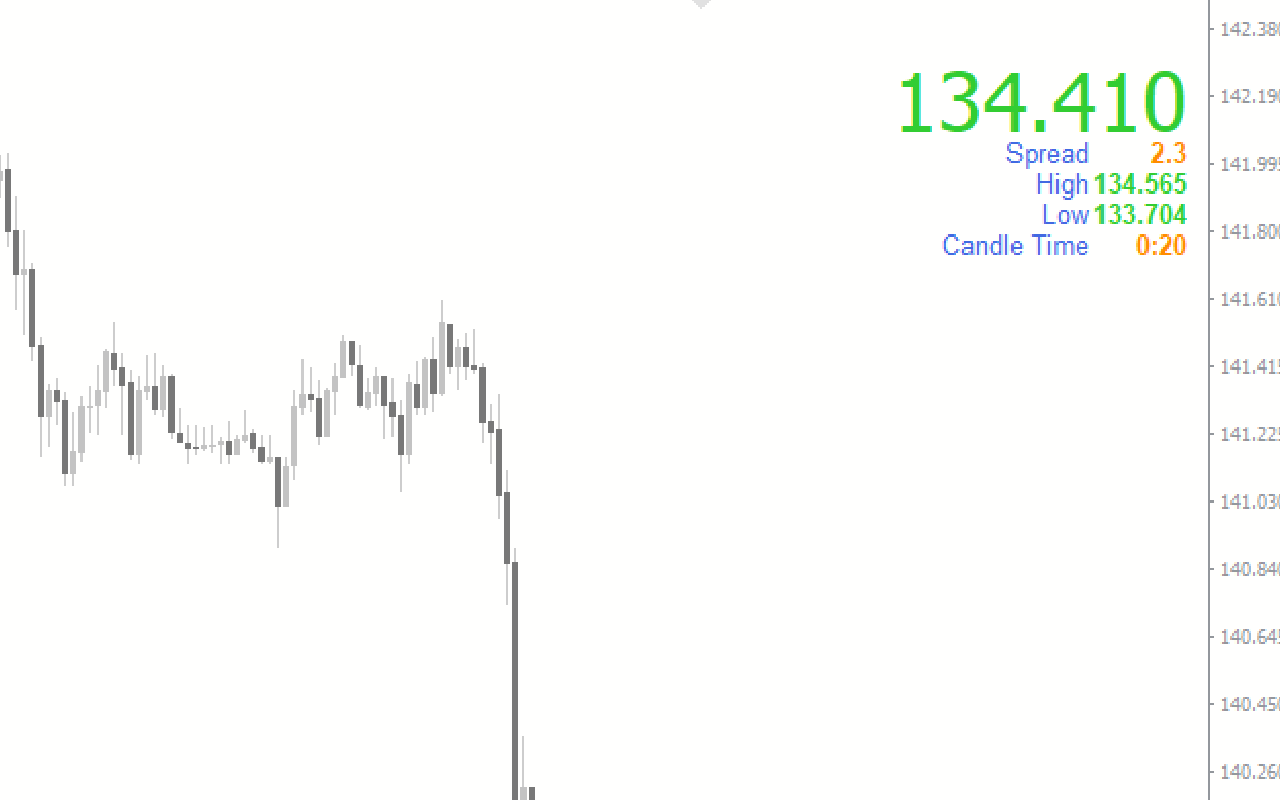
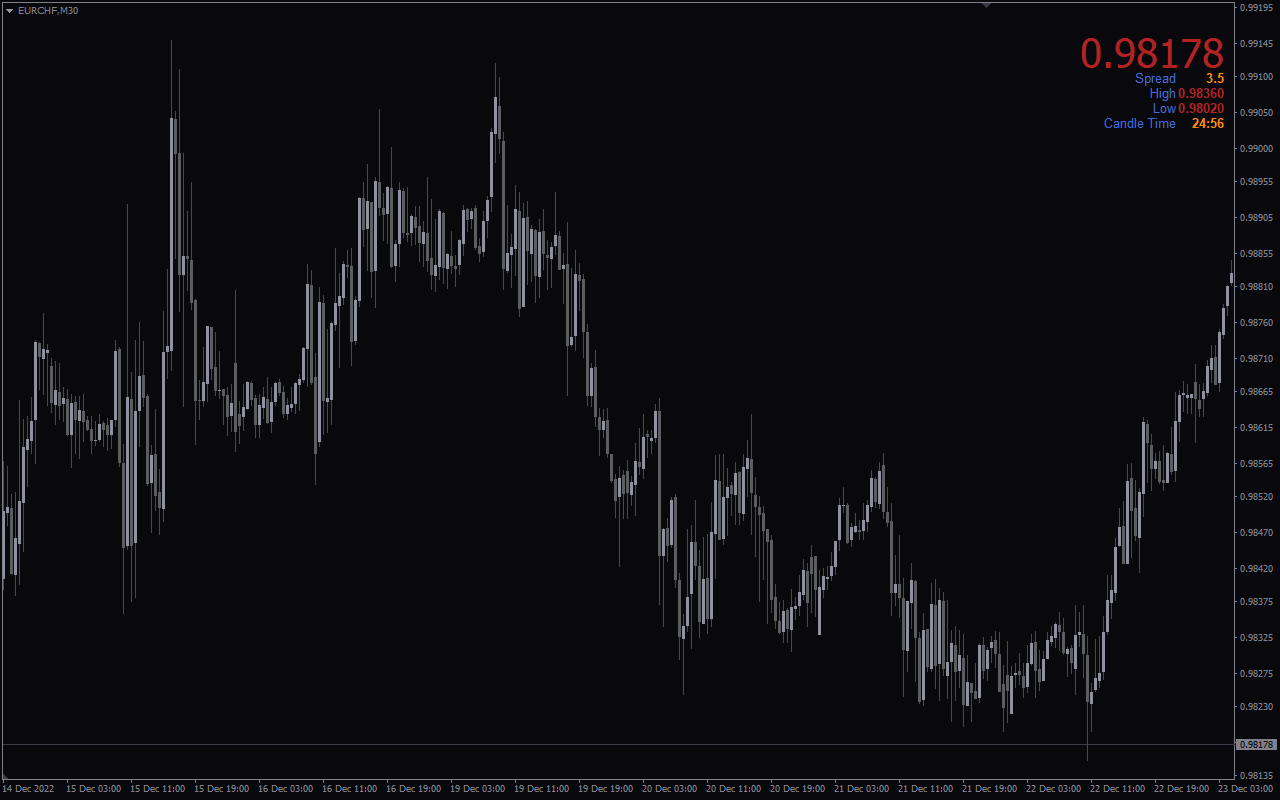
The pip counter indicator is a popular and free forex indicator designed for the MT4 trading platform. It displays the current pip value of the currency pair you are trading in real time. This can be a useful tool for traders to quickly assess their profits and losses on a trade. Whether you are a beginner or an experienced trader, the pip counter indicator can help you improve your skills and make successful trades.

Indicator Type

Accurate

Trading Style

Day Trading

Timeframe

D1-W1

,

H1-H4

,

M15-M30

Platform

MT4

Add to wishlist
0 People watching this product now!
Category: Helpers
Share:

Downloads - 345

Download now
  • Description
  • Reviews (0)
  • How to Install
Description

The Pip Counter Indicator is a best tool for Forex traders using the MT4 platform. It is designed to calculate and display the number of pips gained or lost in a trade in real time. This free indicator offers traders the ability to monitor and track their trades by providing information on the current pips for each open trade, as well as the total pips for all open trades. The Pip Counter Indicator is suitable for traders of all levels, from beginners to experienced professionals, who want to closely monitor their trades and track their profits and losses in real time. Its simple and user-friendly design makes it easy to use and provides accurate pip calculations, aiding traders in making more informed trading decisions.

Features of the Indicator

The Pip Counter Indicator offers several features that make it a valuable tool for Forex traders. Firstly, it calculates the number of pips gained or lost in a trade, helping traders assess the profitability of their positions. By providing real-time pip calculations, the indicator allows traders to closely monitor the progress of their trades and make necessary adjustments if needed.

Additionally, the Pip Counter Indicator displays the current pips for each open trade, providing traders with a clear understanding of the performance of individual trades. This information can be crucial in determining whether to exit a trade or let it run for further profits.

Furthermore, the indicator also shows the total pips for all open trades, giving traders an overview of their overall trading performance. This feature allows traders to keep track of their total pip gains or losses across multiple positions, helping them evaluate the effectiveness of their overall trading strategy.

How the Indicator Can Benefit You

The Pip Counter Indicator offers numerous benefits to Forex traders. Firstly, it provides real-time tracking of pip gains or losses, enabling traders to assess the profitability of their positions without delay. This allows for quick decision-making and the ability to adjust strategies accordingly.

Secondly, the ability to track individual trade pips helps traders identify which trades are performing well and which may need attention. By closely monitoring the progress of individual trades, traders can make informed decisions regarding when to close a position for profits or implement stop-loss measures to limit potential losses.

Moreover, the total pip count feature provides a comprehensive overview of a trader’s overall performance. This data enables traders to evaluate the effectiveness of their trading strategy, identify areas for improvement, and make necessary adjustments to optimize their trading results.

Indicator Settings
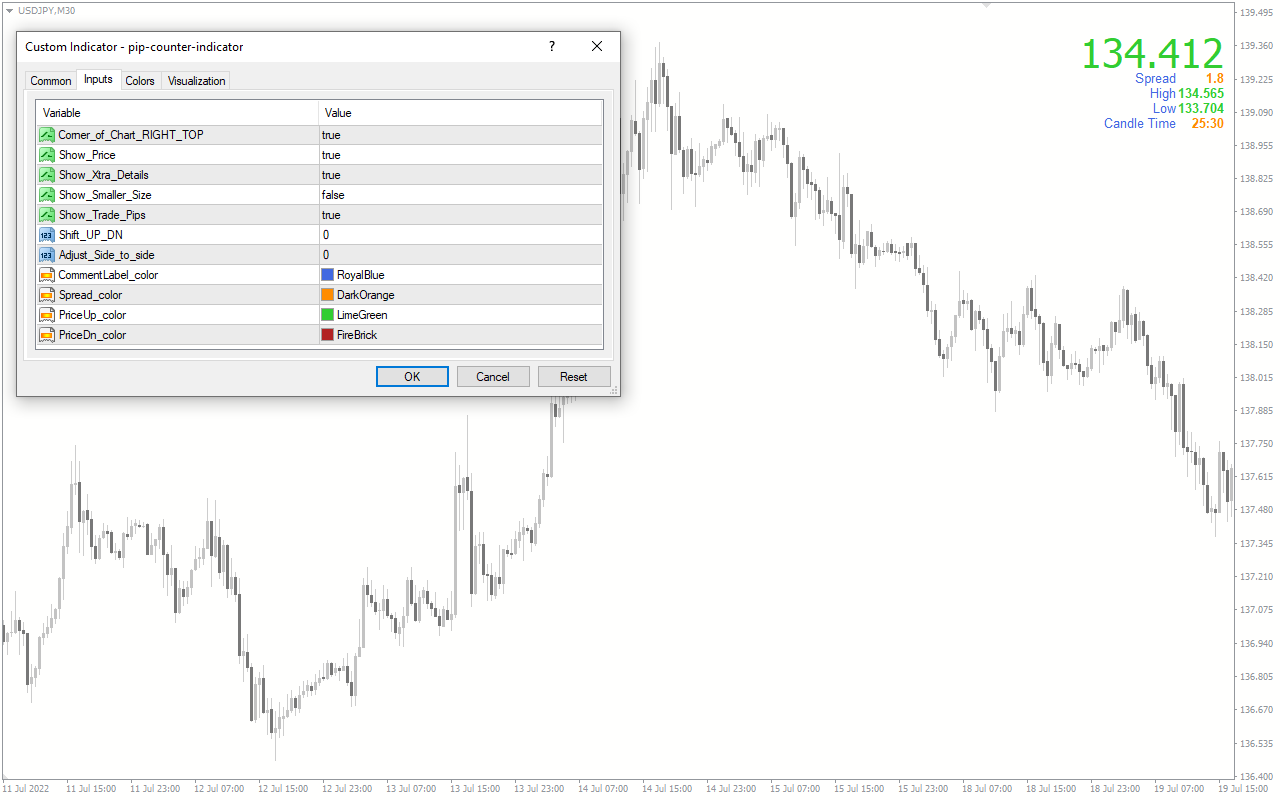
Chart Right Top Counter: Select whether you want the indicator window to be displayed on the left or right side of the MT4 chart.

Show Price: Toggle the display of live price on or off.

Show Extra Details: Enable or disable the display of spreads and candle time countdowns.

Show Smaller Size: Choose to display price information in a large or small size.

Show Trade Pips: Determine whether to show the gain/loss of live trade pips on the indicator.

Shift UP DN: Adjust the vertical position of the indicator window.

Adjust Side to Side: Change the horizontal position of the indicator window.

Comment Label Color: Choose the color for the comment labels in the indicator.

Spread Color: Select the color for displaying the spread.

Price Up & Price Dn Color: Set the colors for indicating price increases or decreases.

Conclusion

In conclusion, the Pip Counter Indicator is a valuable tool for Forex traders seeking to track their trades in real time. By calculating and displaying the number of pips gained or lost, this indicator allows traders to closely monitor their profits and losses, make informed trading decisions, and evaluate their overall trading performance. Whether you are a beginner or an experienced trader, the Pip Counter Indicator can enhance your trading experience by providing accurate pip calculations and valuable insights into your trading progress.
Reviews (0)

Reviews

There are no reviews yet.

Be the first to review “Pip Counter” Cancel reply

Your email address will not be published. Required fields are marked *

1 2 3 4 5
1 2 3 4 5
1 2 3 4 5

How to Install

How install MT4/5 indicator in the terminal?

To install an MT4/5 indicator in the terminal, follow these steps:

  1. Download the indicator file (.ex4 or .mq4/.ex5 or .mq5) to your computer.

  2. Open the MT4/5 terminal and click on “File” in the top left corner.

  3. Select “Open Data Folder” from the dropdown menu.

  4. In the window that opens, double-click on the “MQL4/5” folder.

  5. Double-click on the “Indicators” folder.

  6. Drag and drop the indicator file from your computer into the “Indicators” folder.

  7. Close the data folder window and restart the MT4/5 terminal.

  8. The indicator should now be available in the “Navigator” window on the left-hand side of the terminal. Simply double-click on the indicator to add it to a chart.

Note: If the indicator is in a .zip file, you will need to extract it first before following the above steps.

And if asks to confirm DLL?

If the indicator you are installing requires access to external Dynamic Link Libraries (DLLs), you may see a pop-up message asking you to confirm the use of DLLs.

DLLs are external libraries that contain code that can be used by other programs. In the case of MT4/5 indicators, they are often used to perform complex calculations or connect to external data sources.

If you trust the source of the indicator and want to use it, click “Yes” to confirm the use of DLLs. If you are not sure or do not trust the source, click “No” to cancel the installation.

It’s worth noting that some indicators may not work properly without access to their required DLLs. If you choose not to allow access to DLLs and the indicator does not work as expected, you may need to reinstall the indicator and confirm the use of DLLs to get it to work properly.


Related products

MT4
Quick view
Add to wishlist

Daily Atr

Helpers, Support & Resistance
The Daily ATR Indicator is a popular and free Forex indicator for the MetaTrader 4 (MT4) trading platform. It is a useful tool that helps traders measure the volatility of the market by calculating the Average True Range (ATR) of a currency pair over a specified period of time. By analyzing the ATR of a currency pair, traders can determine the strength of the current trend and the potential for a reversal. The Daily ATR Indicator is a great tool for any trader looking to gain an edge in the Forex market.
MT4
Quick view
Add to wishlist

Xtreme Binary Bot

Signal, Helpers
The Xtreme Binary Bot is a useful and popular free Forex indicator for Metatrader 4 (MT4) that provides traders with accurate buy and sell signals. The Xtreme Binary Bot indicator uses sophisticated algorithms to generate signals based on the movements of the market. It is easy to use, and it provides traders with clear and concise signals that can be used to enter and exit trades. The Xtreme Binary Bot indicator is a great tool for traders who want to maximize their profits in the Forex market.
MT4
Quick view
Add to wishlist

Candlesticks Pattern

Helpers
The Candlesticks Pattern Indicator is a useful MT4 tool for Forex traders. The indicator works by scanning the market for different candlestick patterns, such as the Doji, Hammer and Shooting Star, and then displaying the patterns on the chart. With the Candlesticks Pattern Indicator, traders can quickly and easily identify potential trading opportunities, making it a valuable tool for anyone looking to make successful trades in the Forex market.
MT4
Quick view
Add to wishlist

P4l Candletime

Helpers
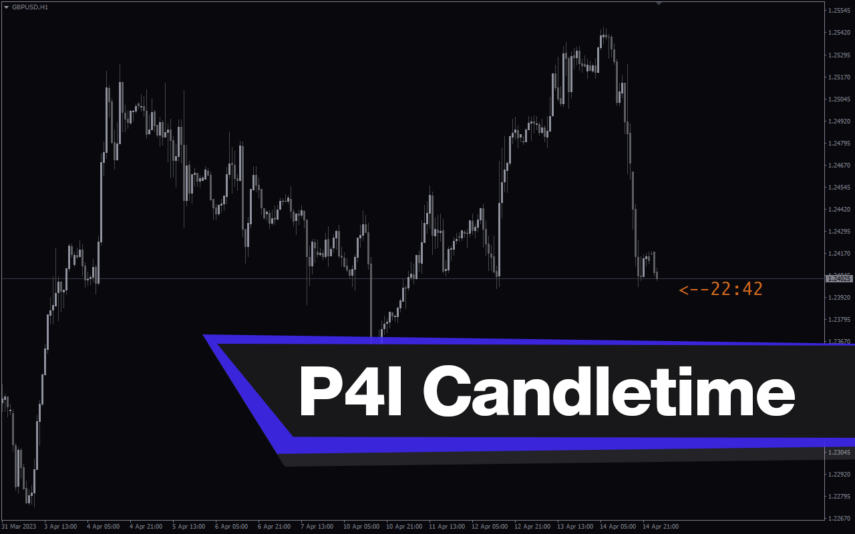
The P4L CandleTime indicator is a popular tool for forex traders and is available for free on the MT4 platform. The P4L CandleTime indicator works by tracking and displaying the open and close of candles and can be configured to display different time frames depending on the trader's preference. It is a simple and effective tool that both beginners and experienced traders can use to improve their trading strategies.
MT4
Quick view
Add to wishlist

Winprofit80 V2

Signal, Helpers
The WinProfit80 v2 Forex indicator is a popular and free MT4 indicator that is useful for Forex traders. It is designed to help traders identify and capitalize on profitable trading opportunities in the Forex market. The indicator works by analyzing the market and providing traders with signals when there are high-probability trading opportunities. It looks for trading opportunities based on price action, trend direction, and momentum. The signals generated by the indicator can be used to enter or exit trades. The WinProfit80 v2 Forex indicator is a great tool for traders looking for an easy and efficient way to trade the Forex market.
MT4
Quick view
Add to wishlist

Bar Timer

Helpers
The Bar Timer Indicator is a free and popular Forex indicator for MetaTrader 4 (MT4) that can be used to monitor the opening and closing times of the different Forex markets around the world. The indicator displays the opening and closing times of all the major Forex markets in the world, including the London, New York, Tokyo and Sydney markets. It also shows the current time and the time left before the next market opens or closes. The indicator is easy to use and can be set up to display the time in the user's local time zone.
MT4
Quick view
Add to wishlist

Average True Range

Helpers
The Average True Range Value indicator is a popular and free forex indicator available on MT4. This new indicator calculates the Average True Range (ATR) for the specified period and displays it in the corner of the chart. The ATR is a useful indicator for measuring market volatility and identifying potential trading opportunities that you can use to set stop loss levels or determine entry and exit points for your trades. Use the Average True Range Indicator to update your personal trading toolbox.
MT4
Quick view
Add to wishlist

Currency Power Meter

Helpers
Forex trading made simple. Identify the strongest and weakest currencies with Currency Power Meter indicator. Buy the strongest and sell the weakest. Calculate daily currency power against any chart time frame. Download now to improve your forex trading performance.
    Close
    Indicator Categories
    • Envelope Indicators 303
    • Helpers 405
    • Price Action 165
    • Signal 1110
    • Stochastic 1675
    • Support & Resistance 558
    • Trend 890
    • Volume 145
    • MT4 COLLECTION HOT
      • Top Rated
      • Top Downloads
      • Most Popular
      • New
      • Recommended
    • Trading Style
      • Beginner For Newbies
      • Scalping
      • Short-Term
      • Day Trading
      • Intraday
      • Swing
    • INDICATOR TYPE
      • Accurate
      • Leading
      • Reversal
      • Breakout
      • Sideways
      • Entry & Exit
      • Overbought & Oversold
      • Non-Repaint
    • CATEGORIES
      • Trend
      • Signal
      • Support & Resistance
      • Price Action
      • Stochastic
      • Envelope
      • Volume
      • Helpers
    • Timeframe
      • M1-M5
      • M15-M30
      • H1-H4
      • D1-W1
      • Multi Timeframe
    • Platform
      • MT4 Popular
      • MT5
    • USEFUL LINKs
      • Privacy Policy
      • Cookie Policy
      • Terms of Use
      • Disclaimer
      • About Us
      • Contact Us
    Logo-grayscale-transparent-720
    Unlock your trading potential with our powerful indicator library.

    Follow us:

    MT4COLLECTION.COM © 2026 All Rights Reserved.
    • Menu
    • Categories
    • Signal
    • MT4 Collections
    • Collection
    • Blog
    • About us
    • Contact us
    • Wishlist
    Sidebar
    We use cookies to improve your experience on our website. By browsing this website, you agree to our use of cookies.
    Accept